Paystack by HDS Documentation
Table of Contents
How to Install and Use the App
Log in to your HighLevel Sub-account and head over to your
dashboard.
Go to the App Marketplace by clicking on the
App Marketplace from the menu.
In the Categories dropdown, select either
All Apps or
Third Party Provider. Look for the app named
Paystack by HDS and click on it.
Hit the Install button, choose the subaccount
where you want to install it, and follow the prompts to allow and
complete the installation.
Once installed, navigate to the subaccount where you installed the
app. Go to Payments, then
Integrations. Find
Paystack by HDS, click Connect,
and then Manage.
Enter your Live and
Test Paystack gateway API keys.
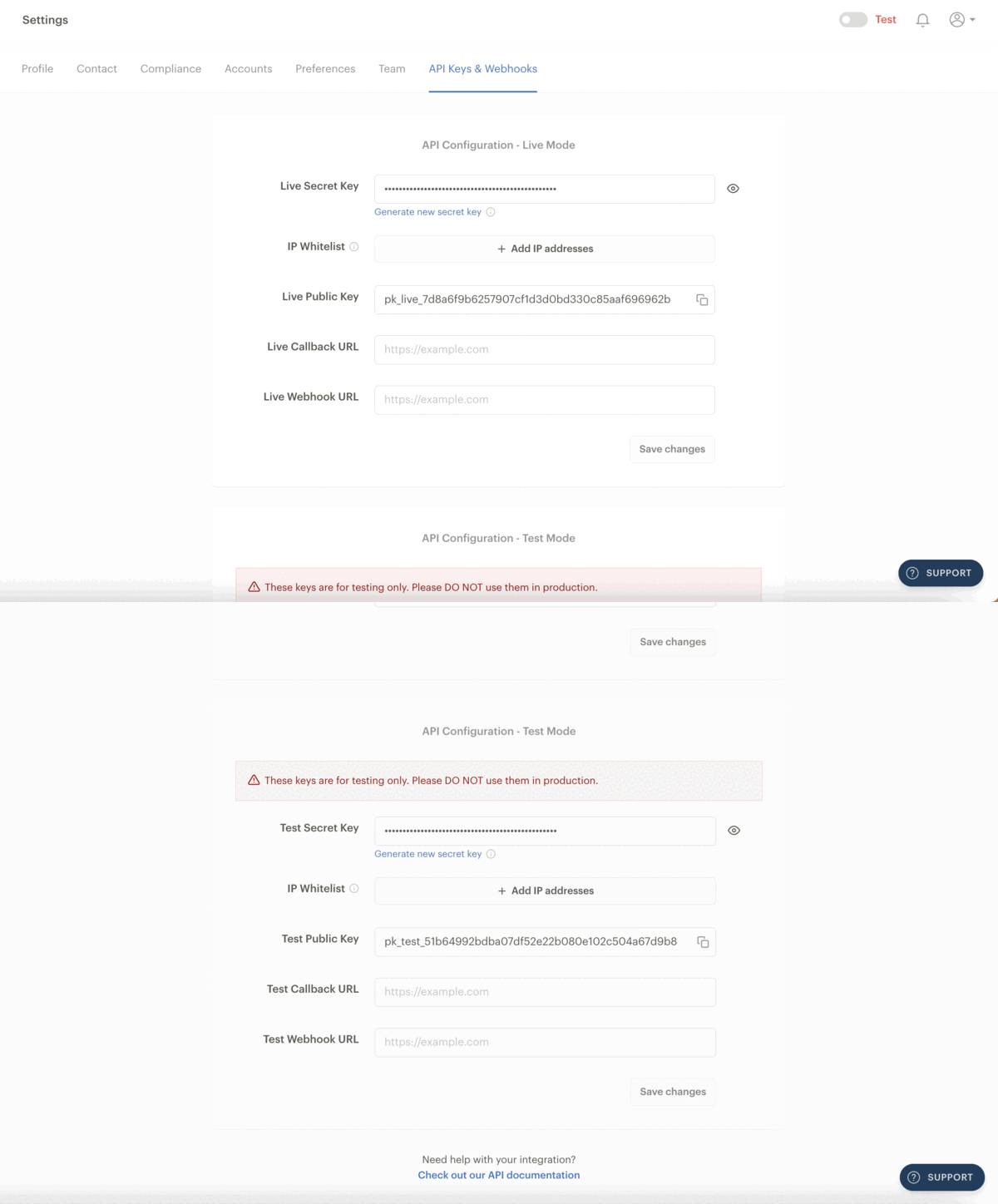
On the integration manage screen, make sure to select Paystack by HDS as the Default Payment Option to ensure everything works seamlessly.
Do not add keys multiple times: Please do not add your keys multiple times after installing and making the app your default payment app except you want to change your API keys or use a different paystack account.
Acceptable Currencies at the Moment: Nigerian Naira (NGN), Ghana Cedis (GHS), Kenyan Shillings (KES), South African Rand (ZAR) and United States Dollar (USD).
And that’s it! 🎉 Your Paystack integration is ready to go. If you have any questions or run into any issues, don’t hesitate to reach out for support.
Happy integrating and happy payments! 💸✨
Supported Currencies
- Nigerian Naira (NGN)
- Ghana Cedis (GHS)
- Kenyan Shillings (KES)
- South African Rand (ZAR)
- United States Dollar (USD)
At the moment only Nigeria and Kenya can receive payments in United States USD
Test Case for Payment Integration
After you have installed the Paystack by HDS app and added your keys, it is important to ensure that the integration works correctly by testing the payment flow. Below is a simple test case you can follow to make sure everything is set up properly:
- Log in to your GoHighLevel dashboard and navigate to the Payments section.
- Create a product and a payment link.
- Use the generated link for a test payment transaction by toggling the test mode at the bottom.
- Ensure the payment link leads to a Paystack checkout page.
- Complete the payment using test details as on the screen provided by Paystack.
- Check your dashboard to verify that the transaction was successful. Ensure the test mode on the top-right is toggled on
- After successful test transaction(s), then you can toggle back the live mode and you are set to use the app live.
If the payment is successful, then your integration is working properly! In case of any issues, refer to the troubleshooting section or contact our support team.
Finding Paystack & Adding API Keys
To find the Paystack by HDS app in your GoHighLevel CRM, first open the specific Business sub-account where you want to use Paystack.
- From the Business sub-account, go to Payments > Integrations.
- If you don't see Paystack by HDS there, go to App Marketplace > Installed Apps.
- Locate Paystack by HDS in your installed apps.
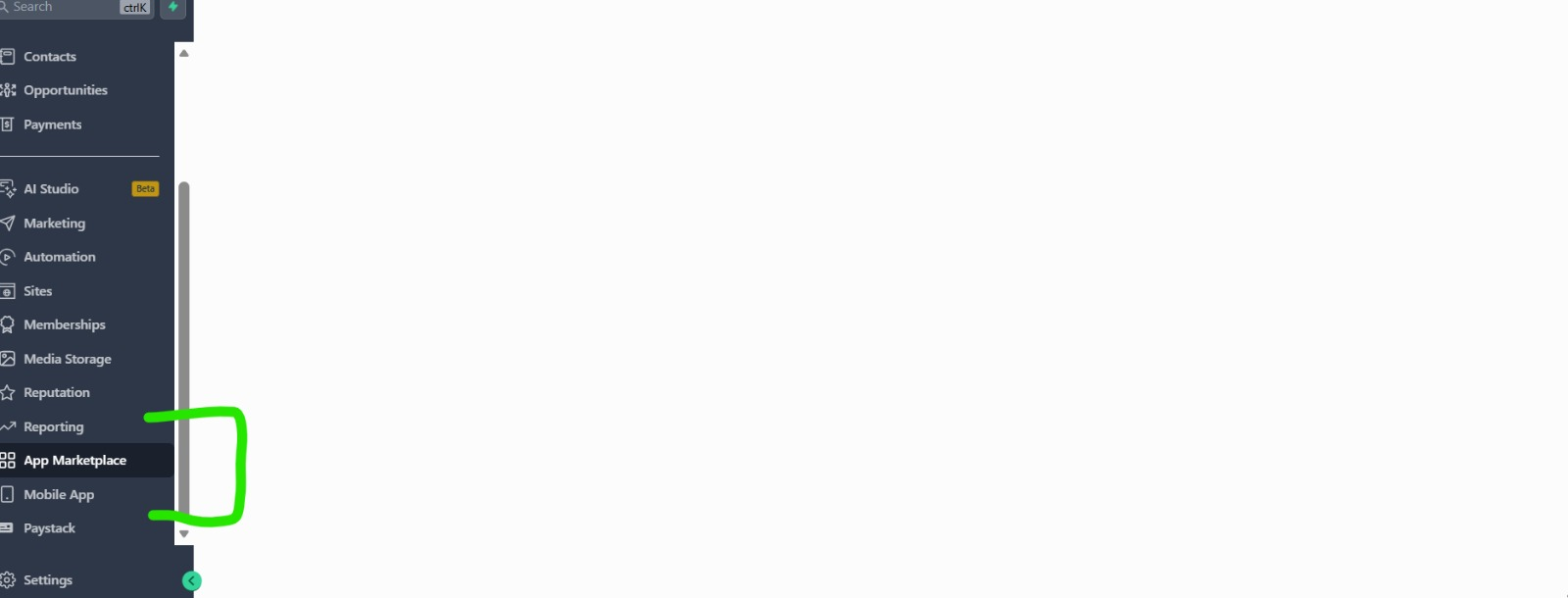
Important: Your Paystack Public Key and Secret Key can only be added from the individual Business sub-account. You cannot add your Paystack API keys from the GoHighLevel Agency Account.
Once you are inside the Business sub-account, open the Paystack integration and enter your Public Key and Secret Key in the appropriate fields.
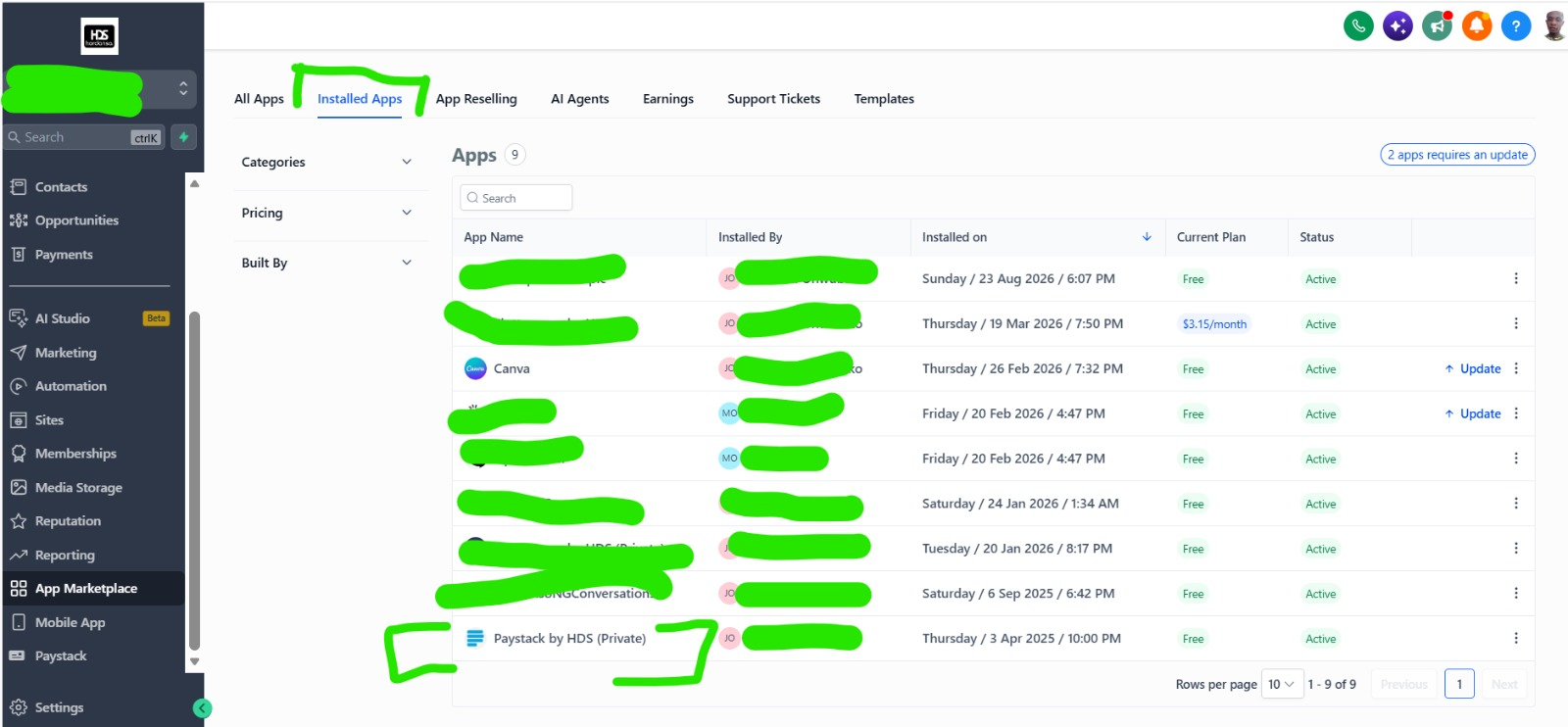
Important: API keys must be configured from the Business sub-account, not the Agency Account.
Custom Branded Domains
If you are using a custom branded domain with GoHighLevel, you must send the domain to our support team so it can be whitelisted before using Paystack by HDS.
Important: Your Paystack by HDS app will not work on your custom branded domain until the domain has been whitelisted by our support team.
To request whitelisting, simply send your custom branded domain to:
Only the domain is required. Once our support team has whitelisted the domain, you can use Paystack by HDS normally.
Webhook Setup
Please after adding your keys, do ensure the following link is updated in your Paystack dashboard for webhook functionality:
https://paystack.withhordanso.com/paystack-webhook
This webhook ensures real-time updates and notifications for
payments processed through the Paystack by HDS integration.
Steps to Set Up the Webhook:
- Log in to your Paystack dashboard and navigate to the Settings tab.
- Click on the API & Webhooks option.
- Under the Webhook URL section, enter the above link.
- Save your changes and ensure the webhook status is marked as Active.
- Test the webhook by simulating a payment or transaction from your Paystack dashboard.
If you encounter any issues, please reach out to our support team for assistance.
About Paystack By HDS
Paystack by HDS is a GoHighLevel marketplace application designed by Hordanso LLC to seamlessly integrate Paystack's payment functionality into GoHighLevel (GHL). The app allows businesses to process payments efficiently while leveraging the power of the Paystack API. The app is a paid model with 24/7 customer support.
Disclaimer
By using this app, you agree to the terms and conditions.
Additionally, you are required to follow Paystack's and
GoHighLevel's terms and conditions.
Hordanso LLC cannot be held liable for any mistakes or errors
arising from your end. Users are solely responsible for ensuring
accurate and compliant usage of the app and its features.
Reselling
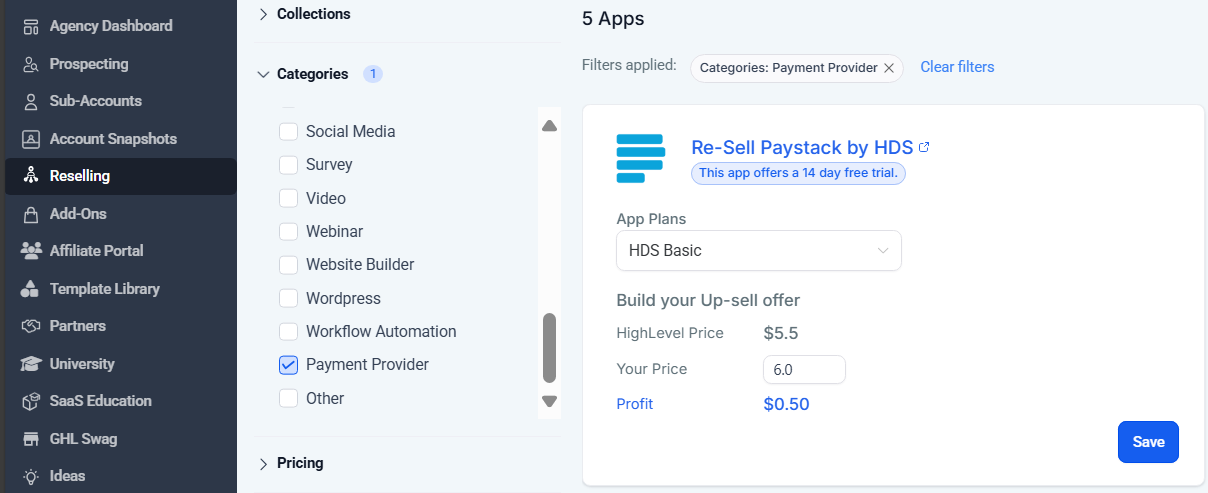
Agencies are allowed to resell this app to their sub-accounts and generate additional revenue while we handle the heavy lifting.
You can install the app on any number of sub-accounts and offer it as a premium service under your brand.
We provide full technical support down the line — from you, the agency, to every individual sub-account installation.
Whether you're managing 1 or 500+ sub-accounts, our team has your back.
Roadmap
Future updates will enable payments in USD for Ghana and South Africa, expanding functionality to handle subscriptions. Currently, the app supports the following payment options:
- One-time payments
- Recurring payments
- Payment Links
- Funnels (1-step and 2-step Order Forms)
- Custom Pages
- Calendar Bookings
- eCommerce Stores
- Text2Pay (via Invoice and Payment Link generation)
- Invoices (full functionality)
- Documents & Contracts
- Forms